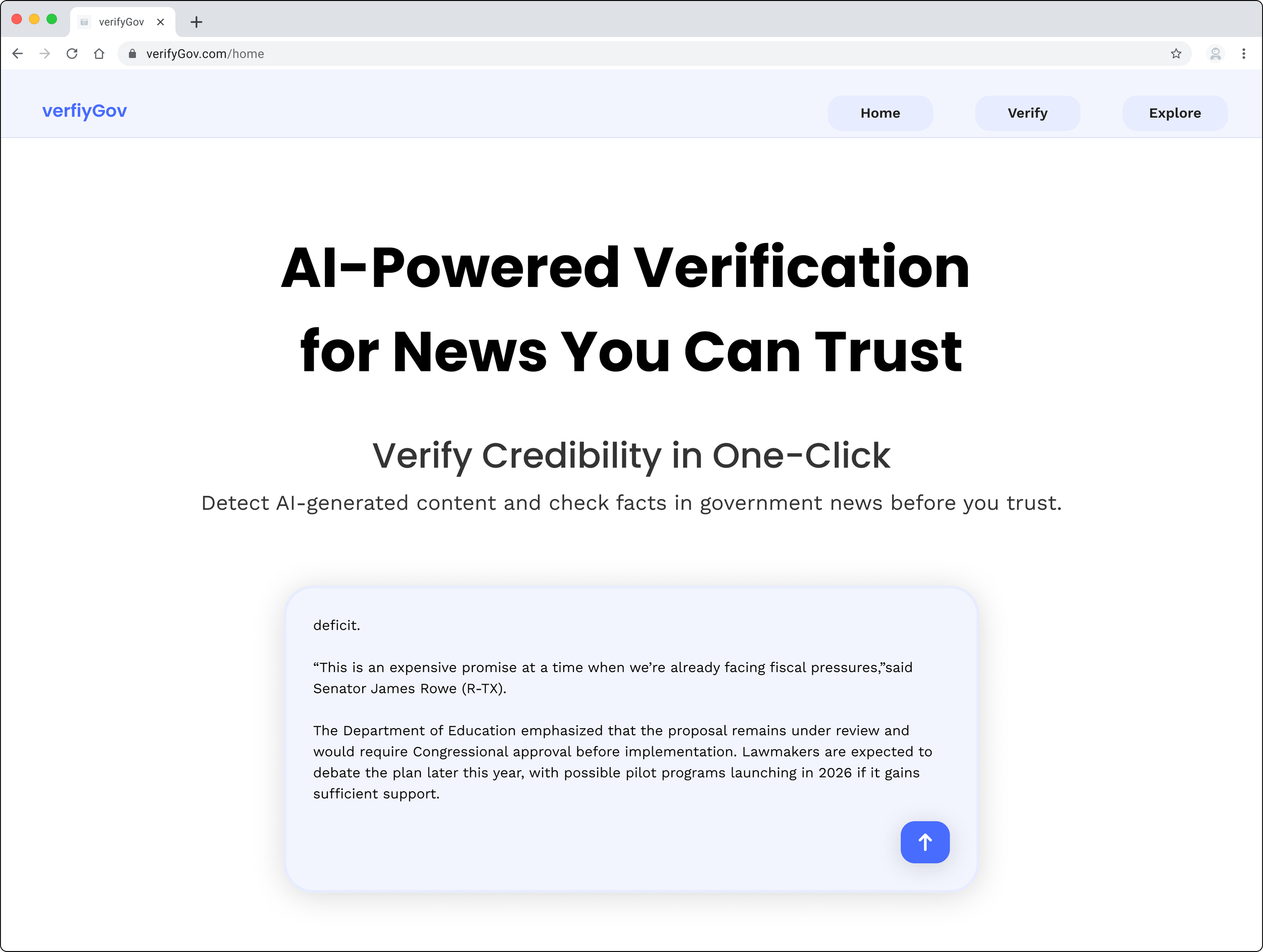
verifyGov
Detect AI disinformation content and verify news.
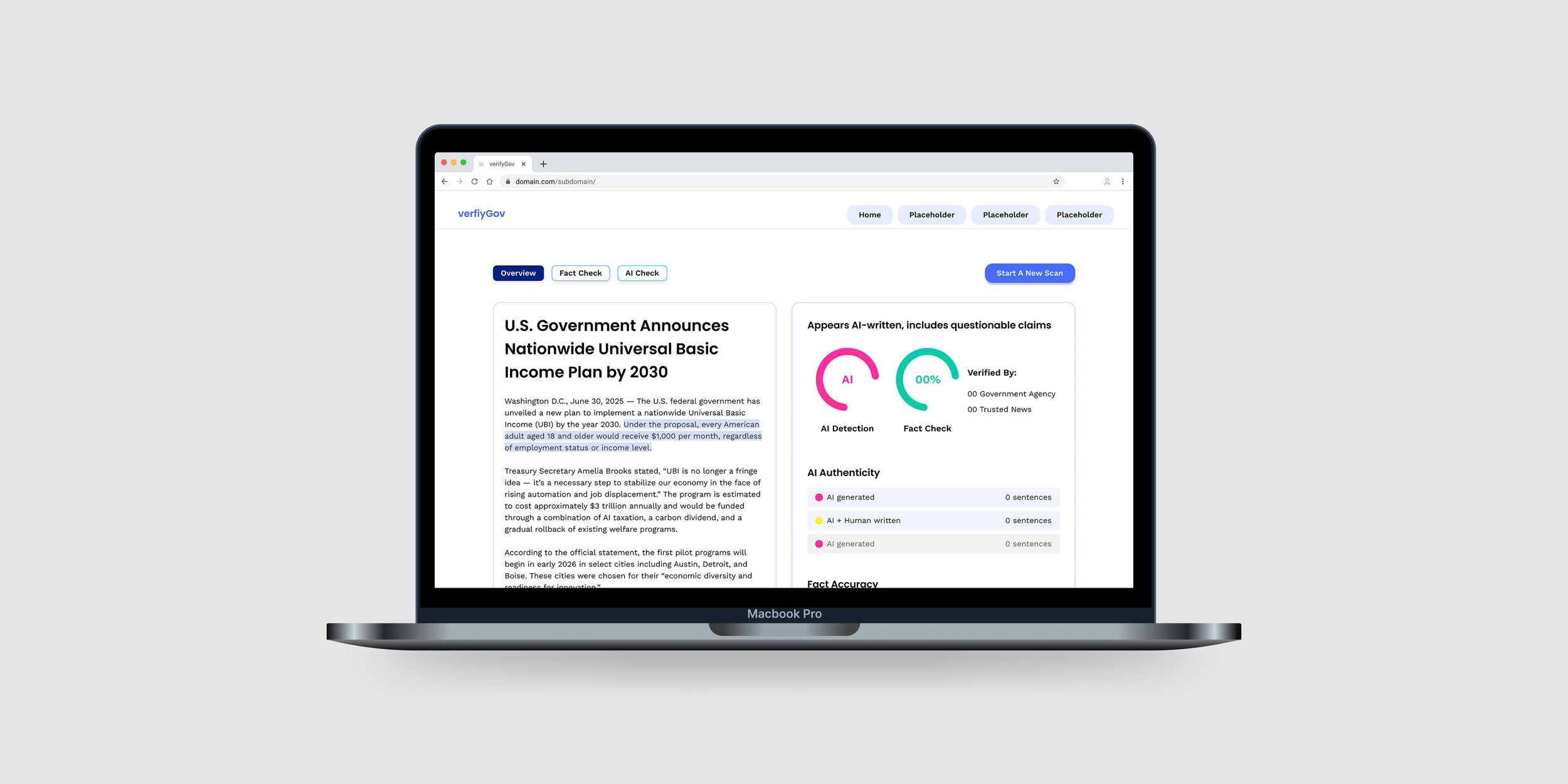
Overview
This project was part of Info Challenge held by University of Maryland, partnered with clients such as EY, Amtrak, government organizations, etc., which allows students to solve real-world problems in data analytics, machine learning and artificial intelligence (AI), and design.
Our team worked with MindPetal, a company that provides AI solutions to government agencies.
We aimed to address the rise of fake news by Gen AI, driven by technological advancements, legal constraints, and market gaps.
Client
MindPetal
Role
UX Designer & Researcher
Timeline
March 2 - 8, 2025
Tool
Figma, Lovable
Challenge
The general public, regardless of AI expertise, needs a reliable detection/checker tool to verify AI-generated misinformation, because access to credible information strengthens digital media literacy.
Rapid Development of Gen AI Tools
Lack of Liability on Social Media Platforms
Absence of AI-Powered Solutions in the Industry
Goal
Create an AI detecting and fact-checking tool that seamlessly detects AI content with detailed inspection and verifies government-related news for a general audience.
User Research
To grasp the general audience’s stance on AI content detecting or fact-checking tools, we conducted user research to understand their interactions, needs, and challenges with AI detection and fact-checking.
Process
To derive actionable solutions, we gave tasks to participants and asked questions.
After interviews, we analyzed qualitative data, identified pain points, and grouped behaviors by the stages of AI detection tool use.
Then, we synthesized primary insights through thematic analysis and a journey map.
Research Design
📝 1:1 in-depth interview
🕗 30 minutes
👤 5 participants
Research Questions
What features and functionalities do users expect from AI-detection & fact-checking tools?
What challenges do users face when verifying misinformation with AI-detection & fact-checking tools?
Interview session
Interview Insights
From thematic analysis, we identified 4 themes:
⚒️ Expectations for Feature Improvements
Need for explanations
Cross-check references
Personal mental models to interpret the results
🙏 Trust & Transparency in AI Detection
Concrete AI-generated patterns
Structured Result screen interface reinforces trust
🚧 Usability & Interaction Barriers
Expects Drag & Drop
Input method -> Ease of use
✅ Fact-Checking Verification Behavior
Source validation
Specific, over vague Statements
Integrated fact-checking flow
User Journey
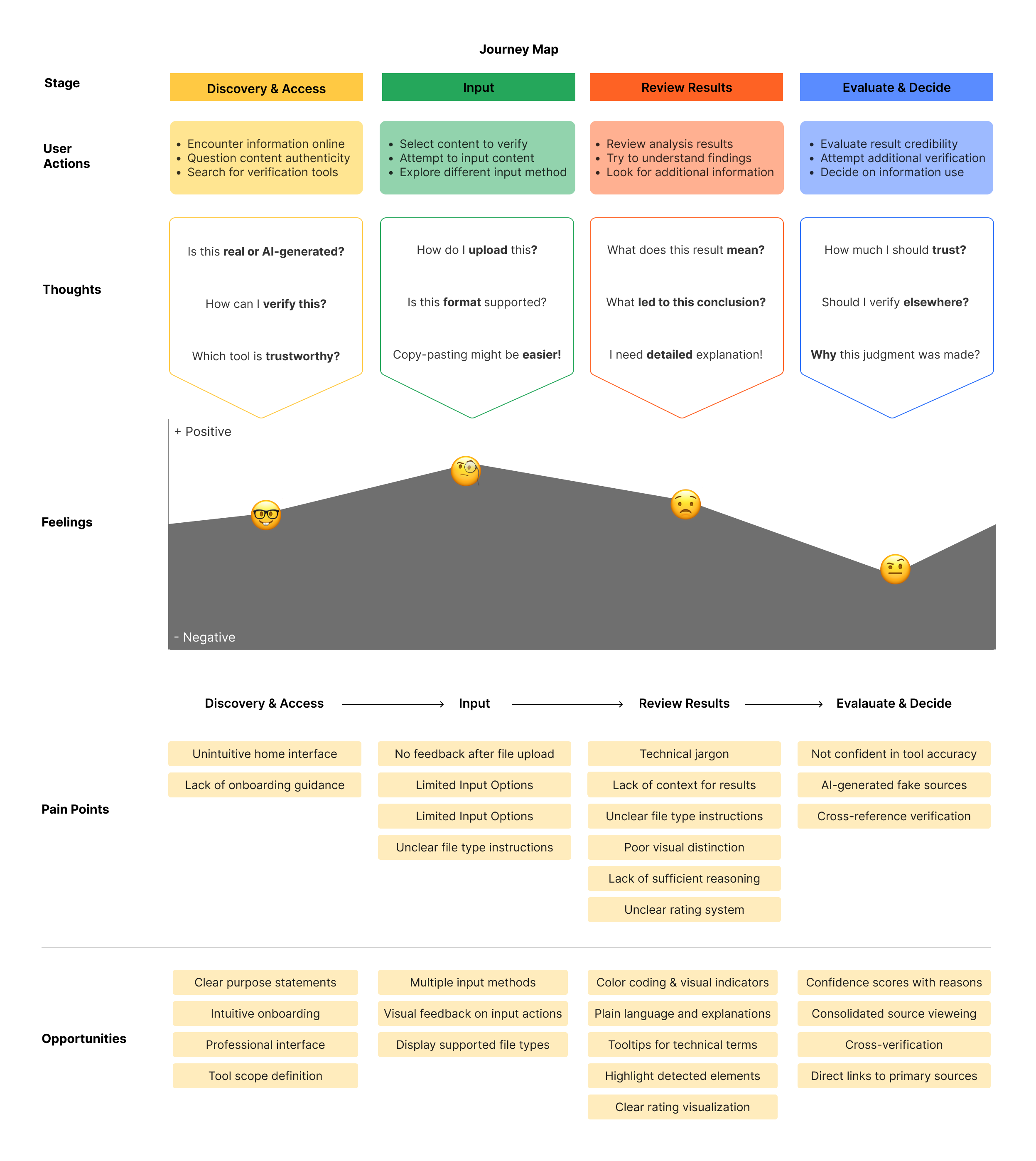
Based on the user journey mapping, we found that…
Discovery & Access
Users need intuitive navigation and onboarding to effectively engage.
Input
Users expect diverse input options and clear feedback to improve usability.
Review Results
Providing contextual explanations and visual clarity helps interpretation.
Evaluate & Decide
Transparent reasoning and source verification strengthen trust.
Product Design
Concept
Value Proposition
Detect AI-driven fake news and enhance public media literacy
Main Functionalities
Identify AI-generated content and verify government-related fake news
Target Audience
General public with minimal technical expertise, seeking to fact-check news
Key Features
Support multimedia input
Connect to primary sources
Verify information based on government statements and trusted news agencies
Brainstorming
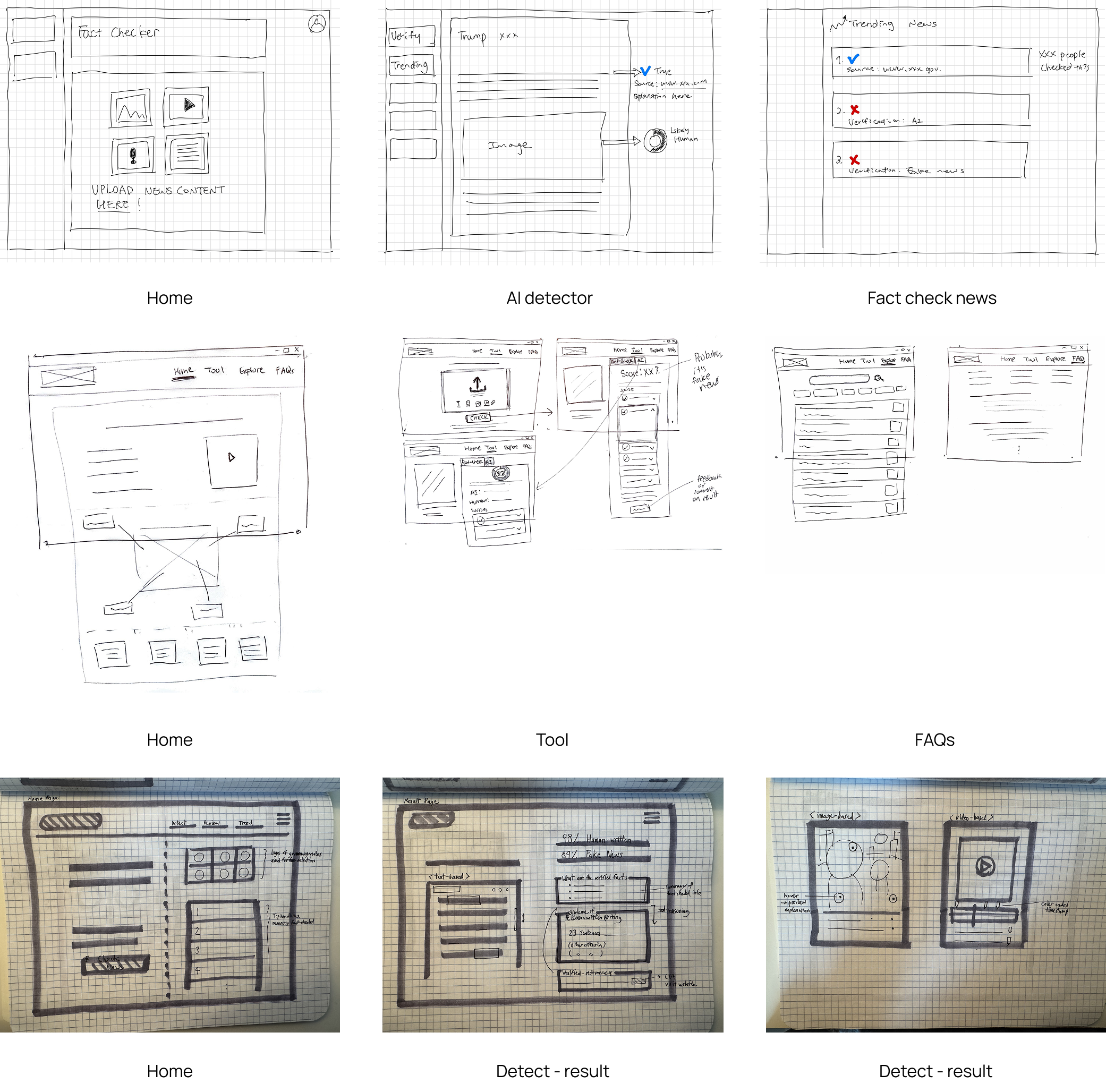
3 team members each came up with 4 sections of websites, which are Home, Tool, Result, and Trending News.
Wireframe
V1
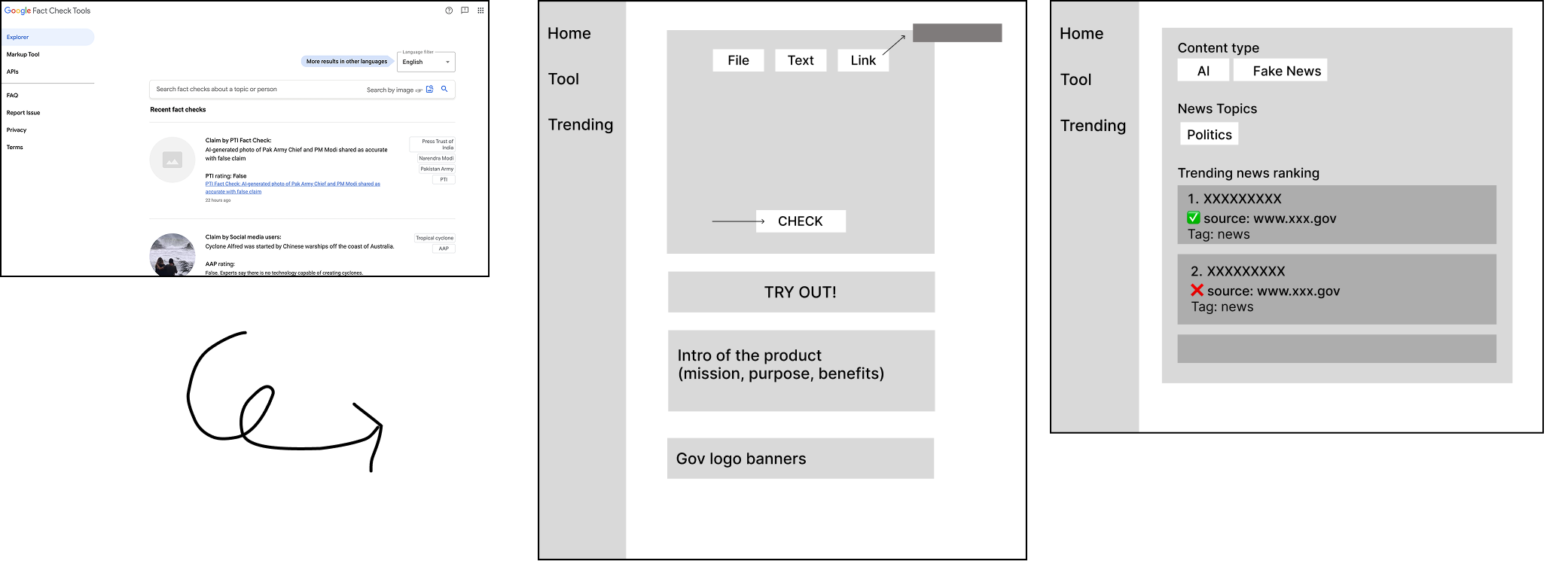
First, we came up with a vertical navigation bar, referencing Google Fact Check Tools.
However, we realized we need more space for the verification section.
V2
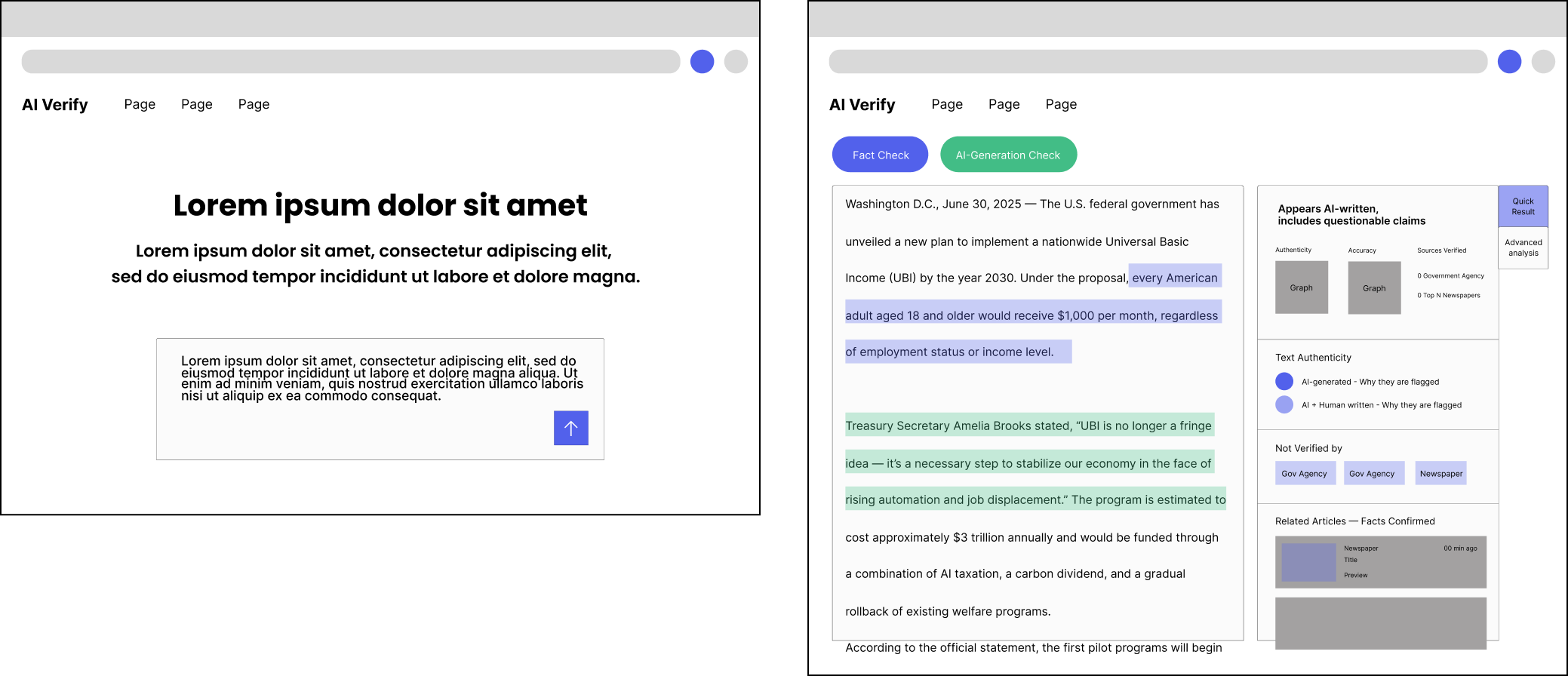
We moved the navigation bar to the top.
For better visibility, increased the space of the “results” section; replaced news thumbnails with card format.
Iteration
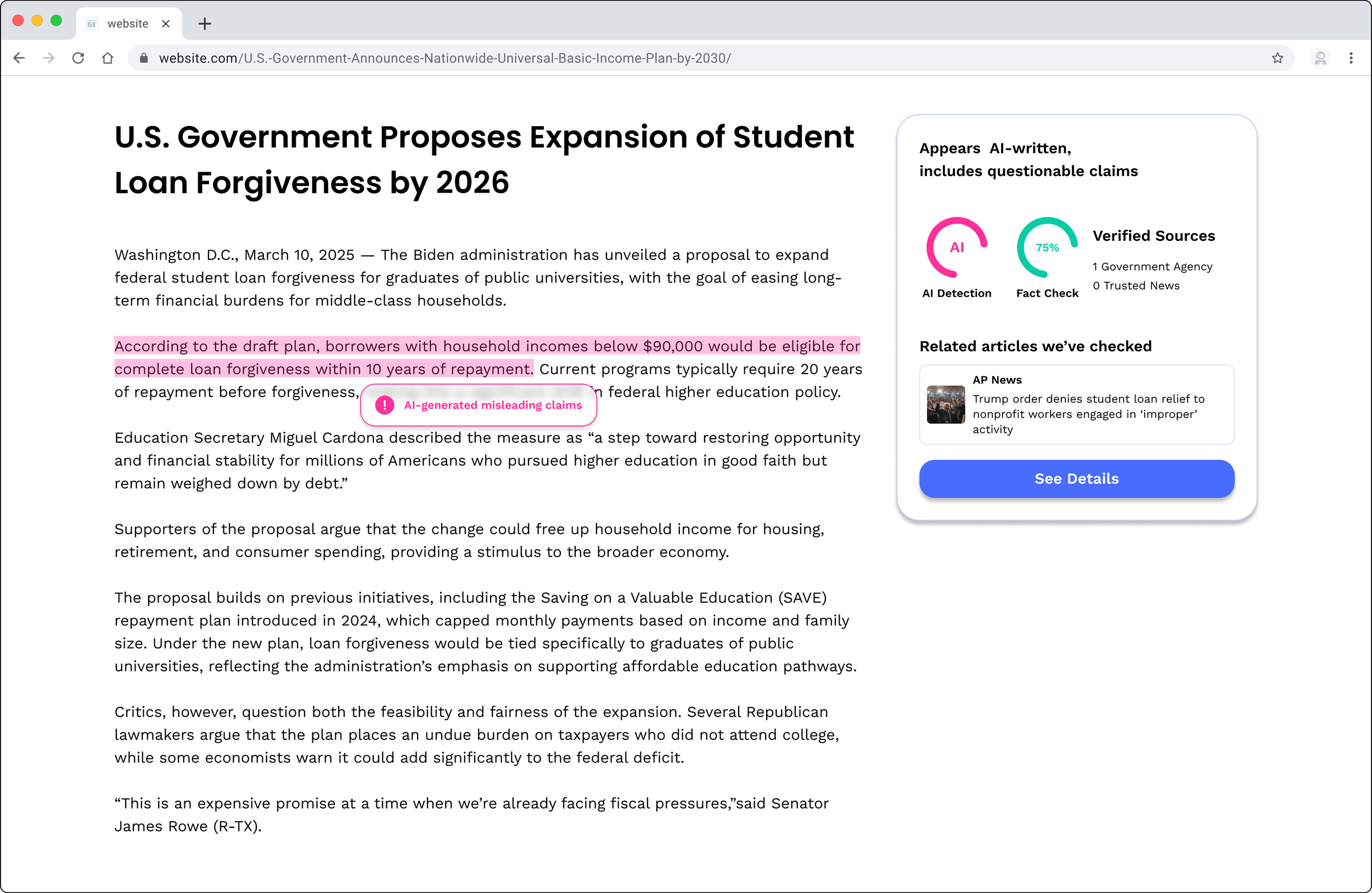
After revisiting interview insights, we decided to add Chrome extension to enable users to verify content with less steps for seamless experience.
Final Design
Placeholder: extension
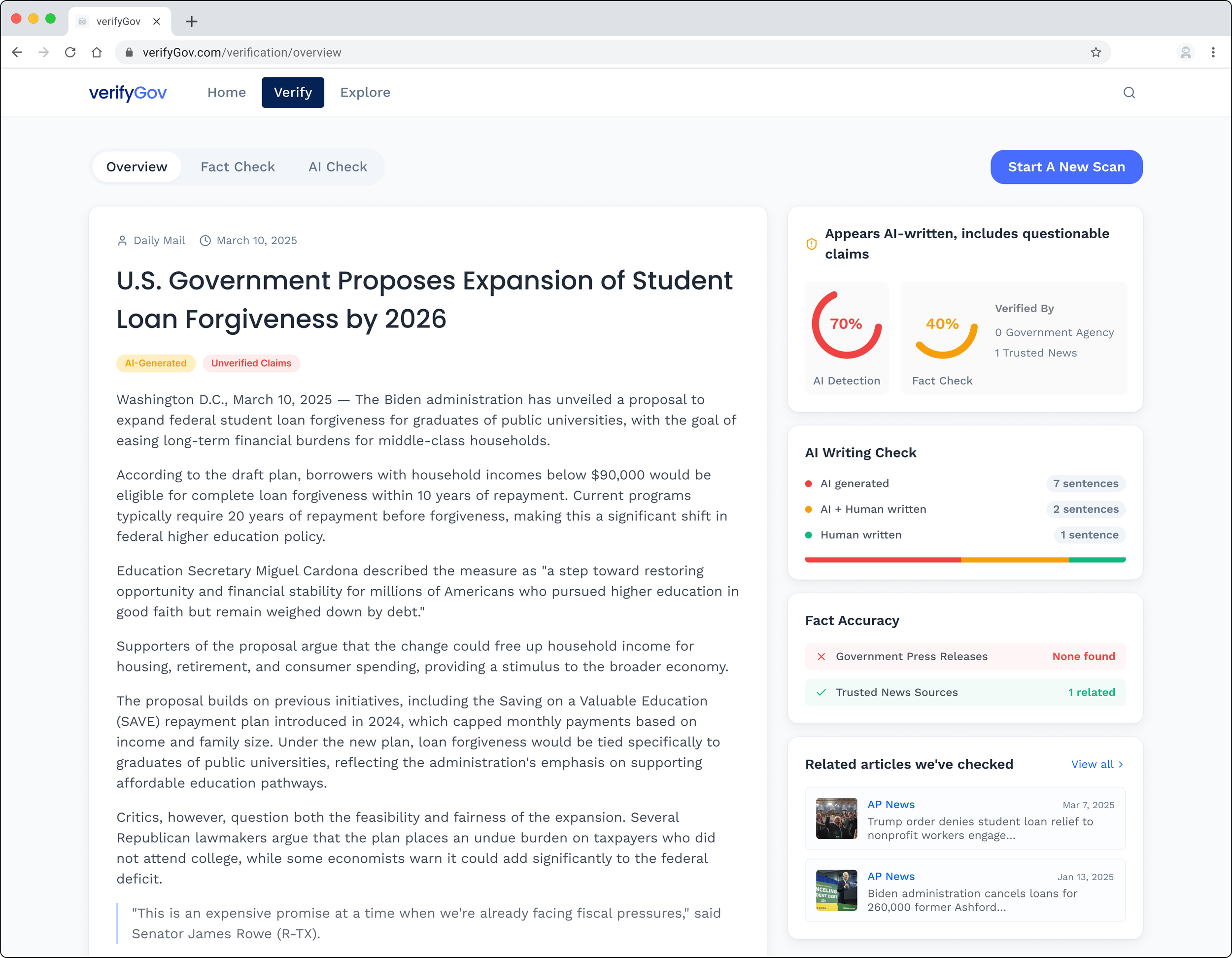
Design System
Placeholder